Free
For a small house with a few rooms and a short season.
€0 forever
No card, no time limit.
- 1 property
- up to 4 rooms per property
- up to 4 season months a year
- All features
Software for organising a guest house or family hotel
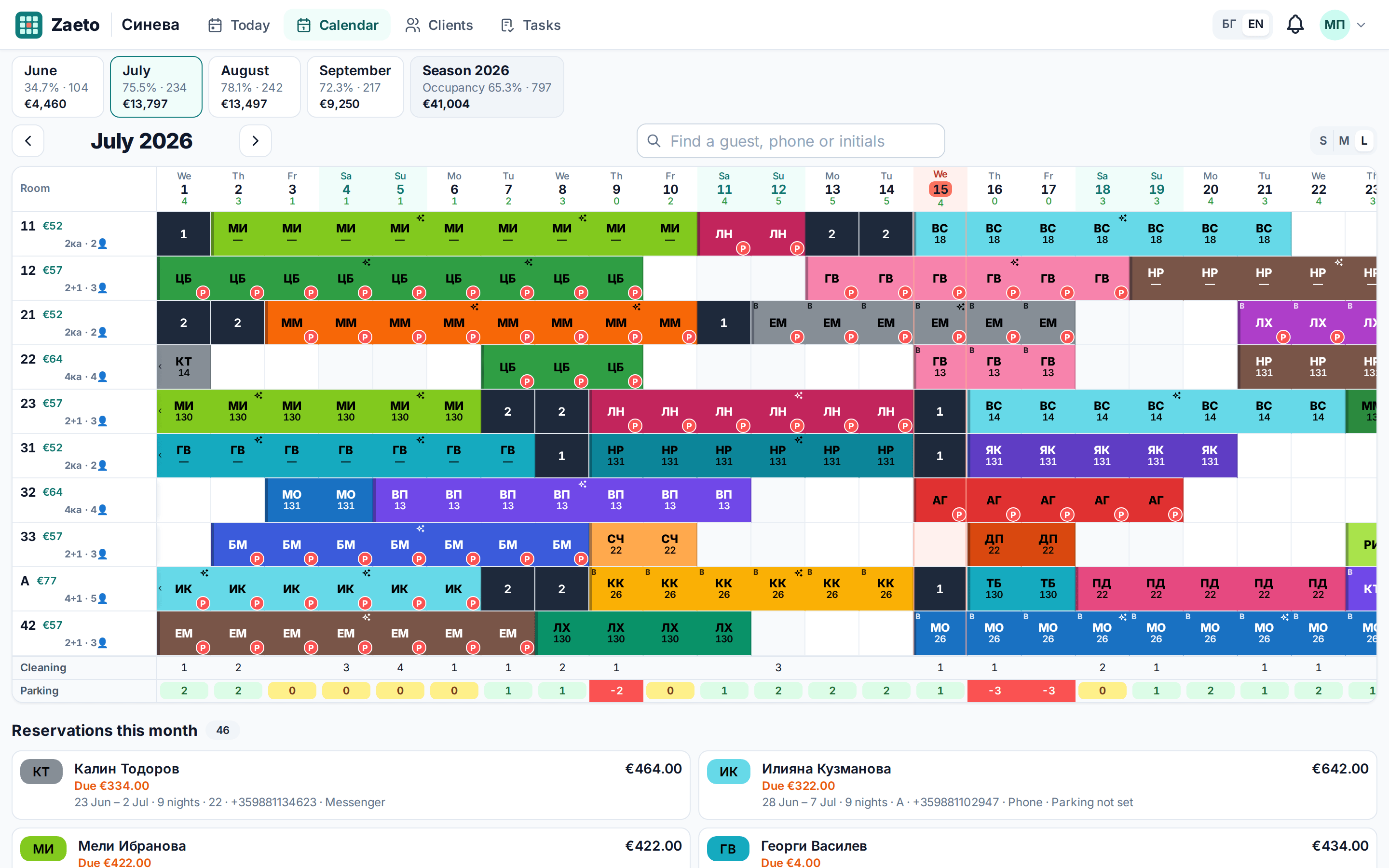
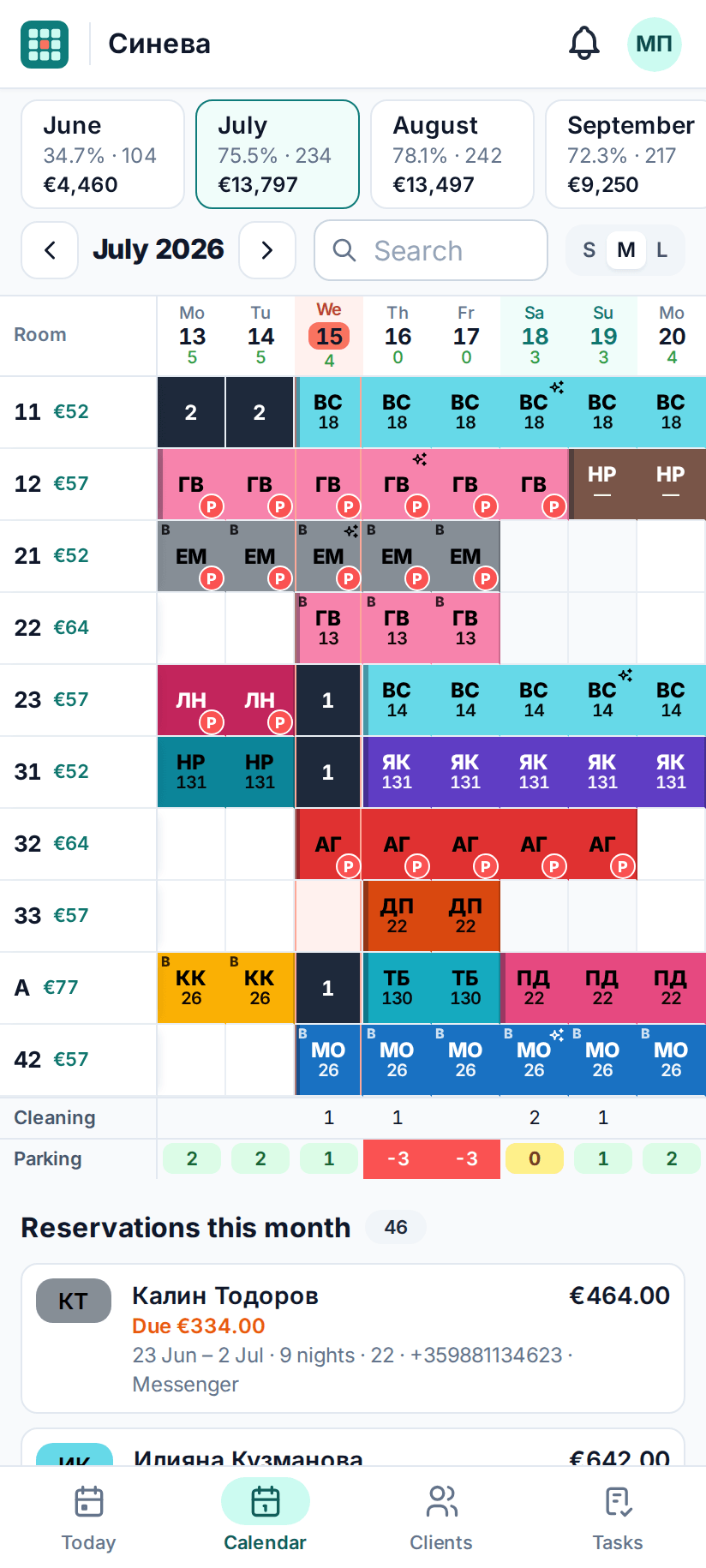
Zaeto replaces your notebook or Excel sheet: a month per screen, a row per room, a coloured cell per night. Parking, cleanings, holes, Booking and Airbnb to-dos and ID scanning for ESTI — on your phone and your computer.
1 month of Premium included, no card required
Features
As fast as your spreadsheet, without the mistakes: see free rooms, holes and parking before the guest has hung up.
A month per screen, a row per room. Drag over free cells — even across several rooms at once — or tap the first and last night on a phone. Every booking gets initials and its own colour.
One or two free nights between two stays turn into dark cells with the number of nights, so you can fill them in time.
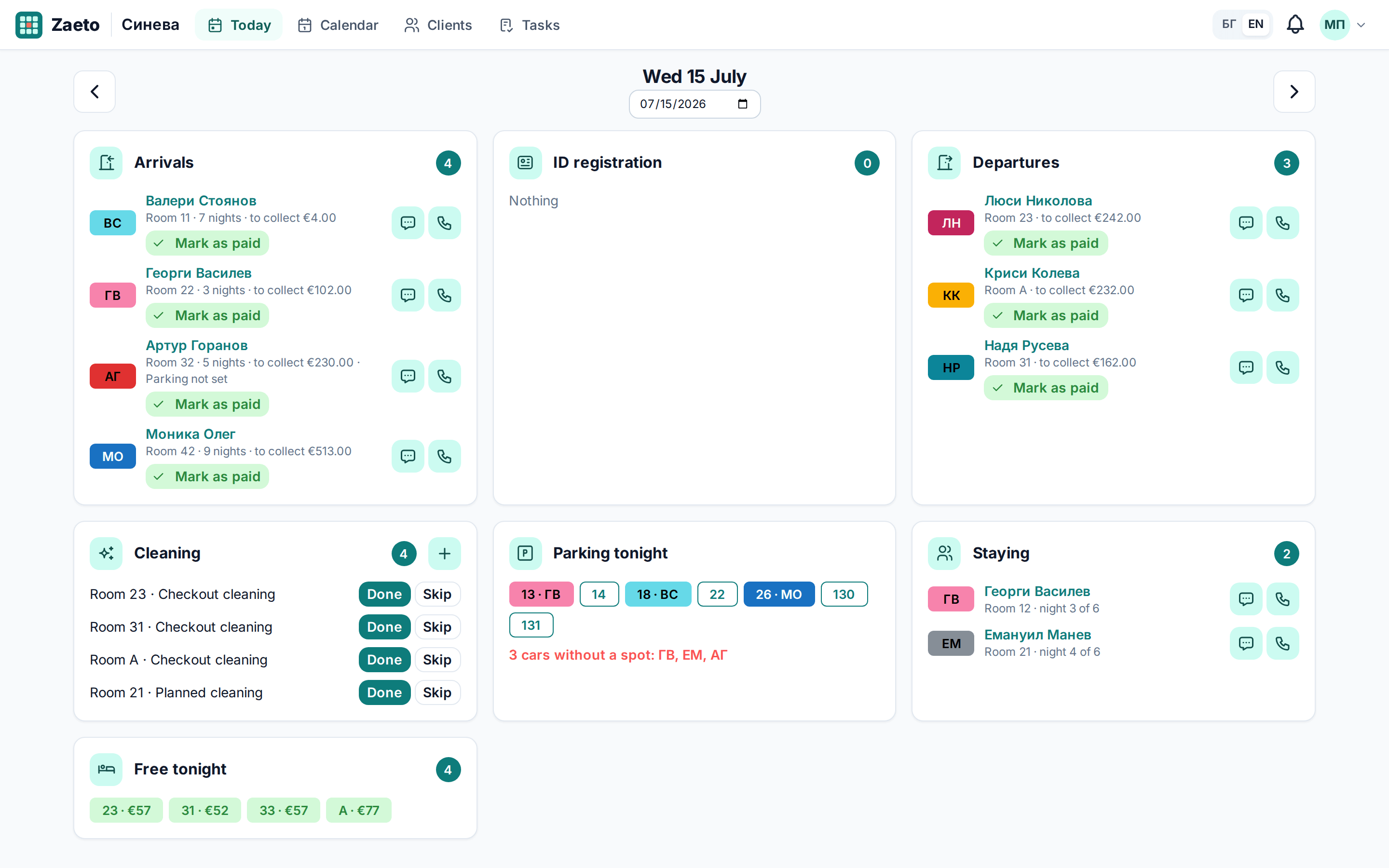
A parking spot for every night in two clicks, and a bottom row showing how many spots are still free.
Long stays get a cleaning every few days, shown in the cell, on Today and in your tasks.
Every new, changed or deleted booking becomes a task with the exact nights to close or open on your booking sites. Tick it off when you're done.
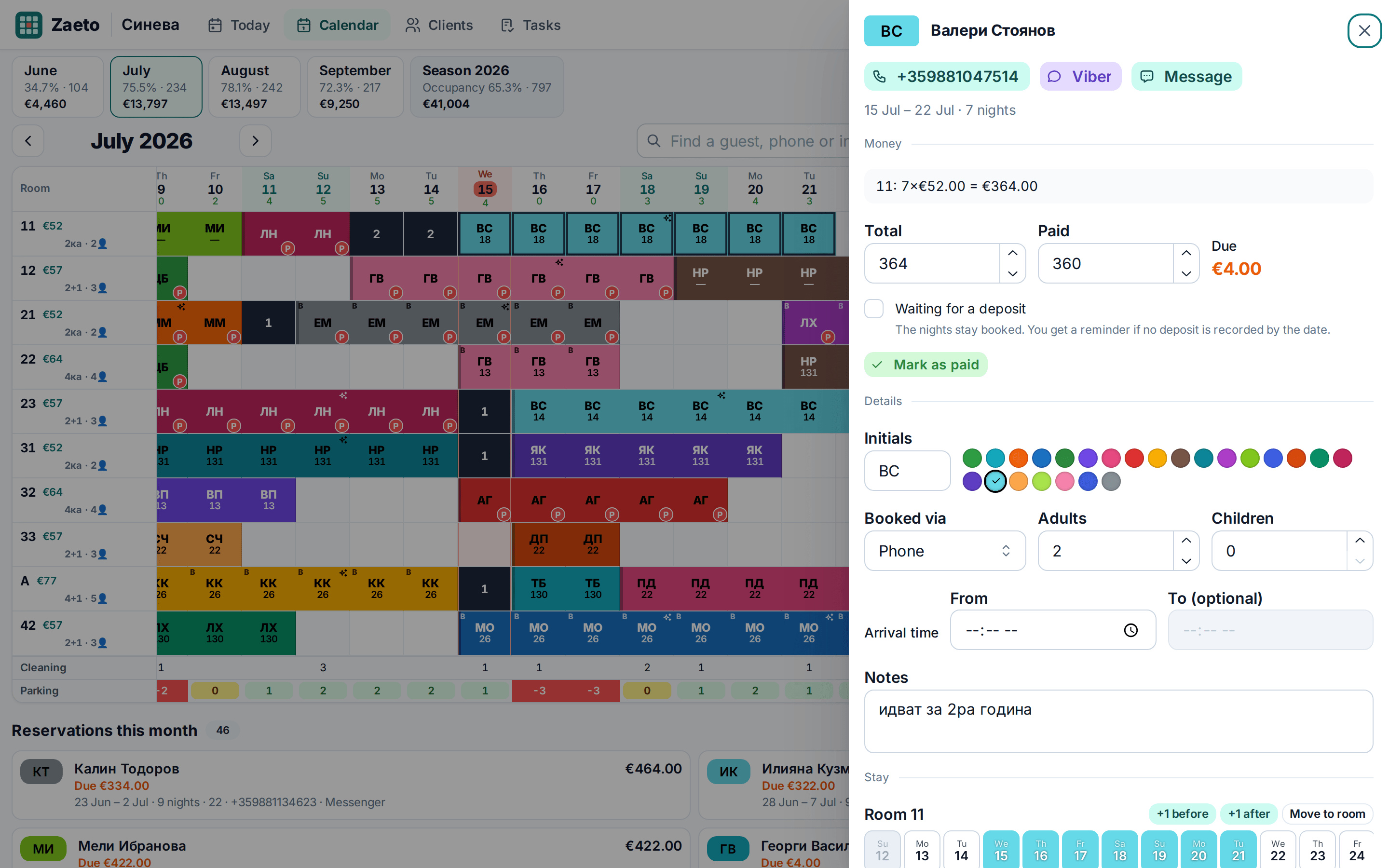
Guests are recognised by their phone number — "Returning guest" and their past stays appear while you type.
Who arrives and when, who leaves and what is still due, cleanings, parking tonight and free rooms.
Scan a guest's ID card or passport with the camera: the details are read on your phone and you download a file ready for ESTI, Bulgaria's tourist register. The ID details stay on your device.
Monthly prices per room and special prices for single nights; agreed rates are kept. Deposit, amount due, monthly revenue and occupancy.
Installs like an app on your phone. Without internet you still see the last loaded data, read-only. How to install it
Zaeto was built for a real seasonal guest house to replace its Google Sheet.
How it works
Email and password and you're in. Your first month is Premium, no card required.
Rooms, season months, prices and parking spots — in a few minutes.
Select the nights and enter the guest's phone. Initials, colour, price, parking and cleanings fall into place.
Zaeto installs like an app — an icon on your home screen, full screen. No app store, it takes ten seconds.
Point your phone’s camera at the code — Zaeto opens right there.
app.zaeto.bgTake a look
Clear on a big screen, handy in your hand.
Pricing
Every new account gets 1 month of Premium for free. After that you carry on with the Free plan or pick a paid one — it's your call.
For a small house with a few rooms and a short season.
€0 forever
No card, no time limit.
First month free
For a guest house or family hotel open all season.
€20 / month
Your first month is free when you sign up.
€120 / year
= €10 a month · save 50%
For several properties or a bigger hotel.
€70 / month
Pay monthly and stop whenever you like.
€420 / year
= €35 a month · save 50%
After the trial month your account moves to the Free plan unless you choose a paid one. Nothing is deleted: anything above the Free limits stays visible but read-only until you upgrade.
Prices are in euro. Pay by card on a secure payment page, monthly or yearly. You can turn off automatic renewal at any time.
More than 4 properties? Give us a call.
FAQ
Your account moves to the Free plan automatically — you pay nothing unless you choose a paid plan. Nothing is deleted: properties, rooms and bookings above the Free limits stay visible, read-only, until you upgrade to Premium or Business.
No. Signing up and the trial month need no card. You only enter a card if you decide to pay.
Zaeto doesn't sync with booking sites automatically. Instead, every new, changed or deleted booking becomes a task with the exact nights to close or open on Booking.com and Airbnb. Nothing gets forgotten, and you stay in control.
You scan the guest's ID card or passport with the camera, or choose a photo. Zaeto reads the details right on your phone, you check them and download a file that you upload to ESTI (Bulgaria's tourist register) yourself, with your own ESTI account — Zaeto doesn't submit the data for you. The photos and ID details are never sent to our servers: they stay on your device and are removed 24 hours after you download the file.
Yes. It opens in the browser and installs like an app on Android and iPhone. Offline it shows the last loaded data, read-only; changes need a connection. See how to install it.
The Free plan includes up to 4 different months a year. A month counts once at least one night is booked in it, and stays counted for that year even if the booking is deleted later. Paid plans have no season limit.
By card on a secure payment page — monthly or yearly. You can stop renewal at any time; your plan stays active until the end of the paid period. You get a receipt by email for every payment.
Yes, any time under Plan & billing. The new plan starts right away, and the unused time of your current paid plan is added to it as extra days. If you pay for Premium during your free month, the paid period starts when the free month ends — you don't lose a day.
Setting up a property takes minutes, and bookings are quick to enter right in the calendar. If you have lots of bookings in Excel or Google Sheets, write to us and we'll help.
The connection is encrypted (HTTPS), passwords are only stored as hashes, and your data is never sold or used for advertising. Details in the Privacy Policy.
Contact
We answer personally, in English and Bulgarian.
Create an account in a minute and enter your first bookings today.
Start free1 month of Premium included, no card required